Introduction
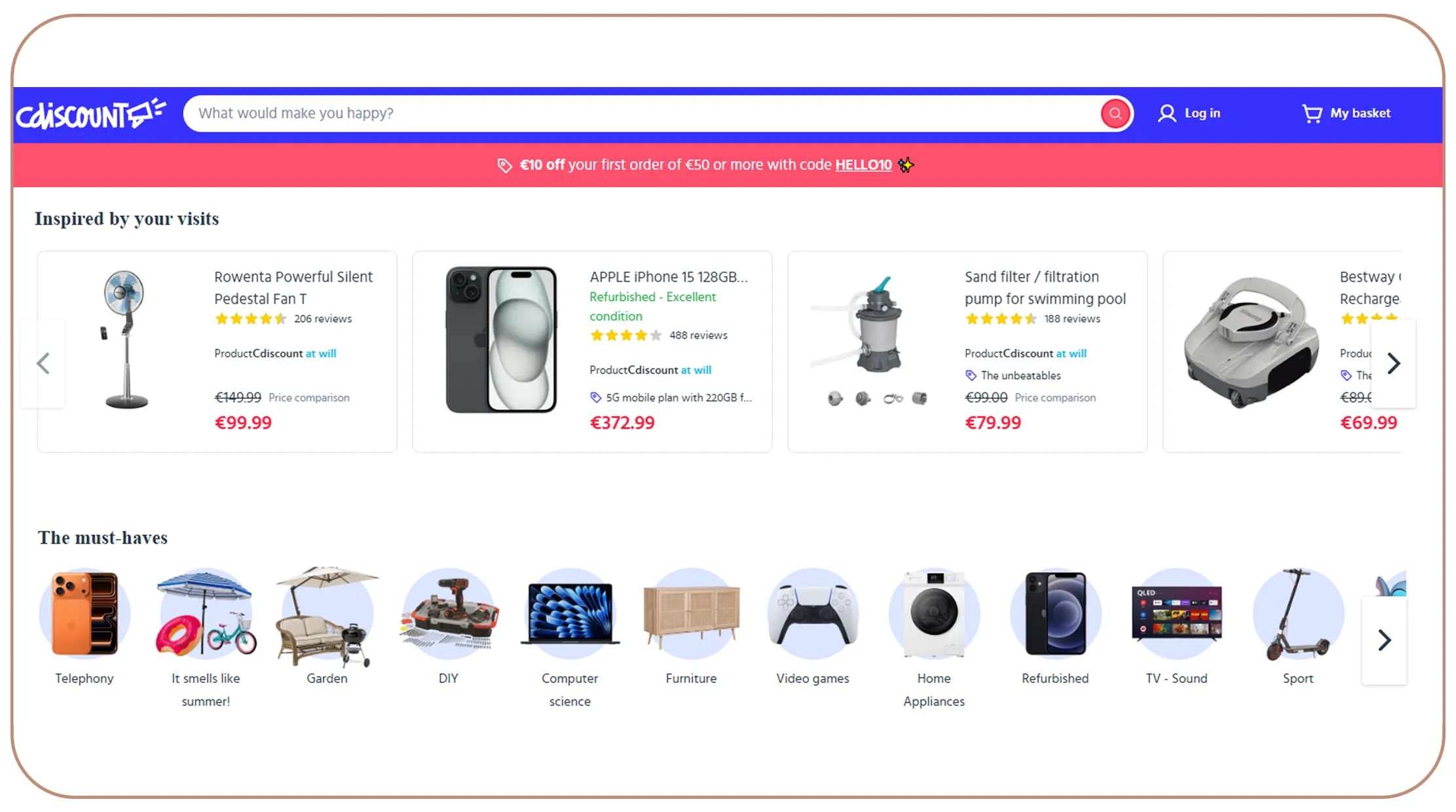
Cdiscount is France's second-largest e-commerce marketplace, trailing only Amazon in the French market. With millions of product listings spanning electronics, home appliances, fashion, toys, and more, it represents a goldmine of structured retail data. Whether you are a price intelligence analyst, a competitive researcher, a data scientist building retail datasets, or a developer creating price comparison tools, Cdiscount Scraping API can give you a significant edge.
This guide walks you through everything you need to know — from understanding Cdiscount's page structure to writing a working Python scraper, handling anti-bot defenses, and storing the data you collect.
Why Scrape Cdiscount?
Before diving into the technical details, it's worth understanding why Cdiscount specifically is a target for data extraction:
- Market dominance in France: Cdiscount serves over 10 million active customers. Any price intelligence project targeting the French market is incomplete without it.
- Third-party marketplace data: Like Amazon, Cdiscount hosts thousands of third-party sellers, making it a rich source for multi-seller price comparisons.
- No official public API: Unlike some competitors, Cdiscount does not offer a freely accessible product data API for researchers, forcing scraping as the primary alternative.
- Deep product metadata: Each listing includes price, seller info, ratings, reviews, availability, shipping terms, product specifications, and images.
Understanding the Cdiscount Page Structure
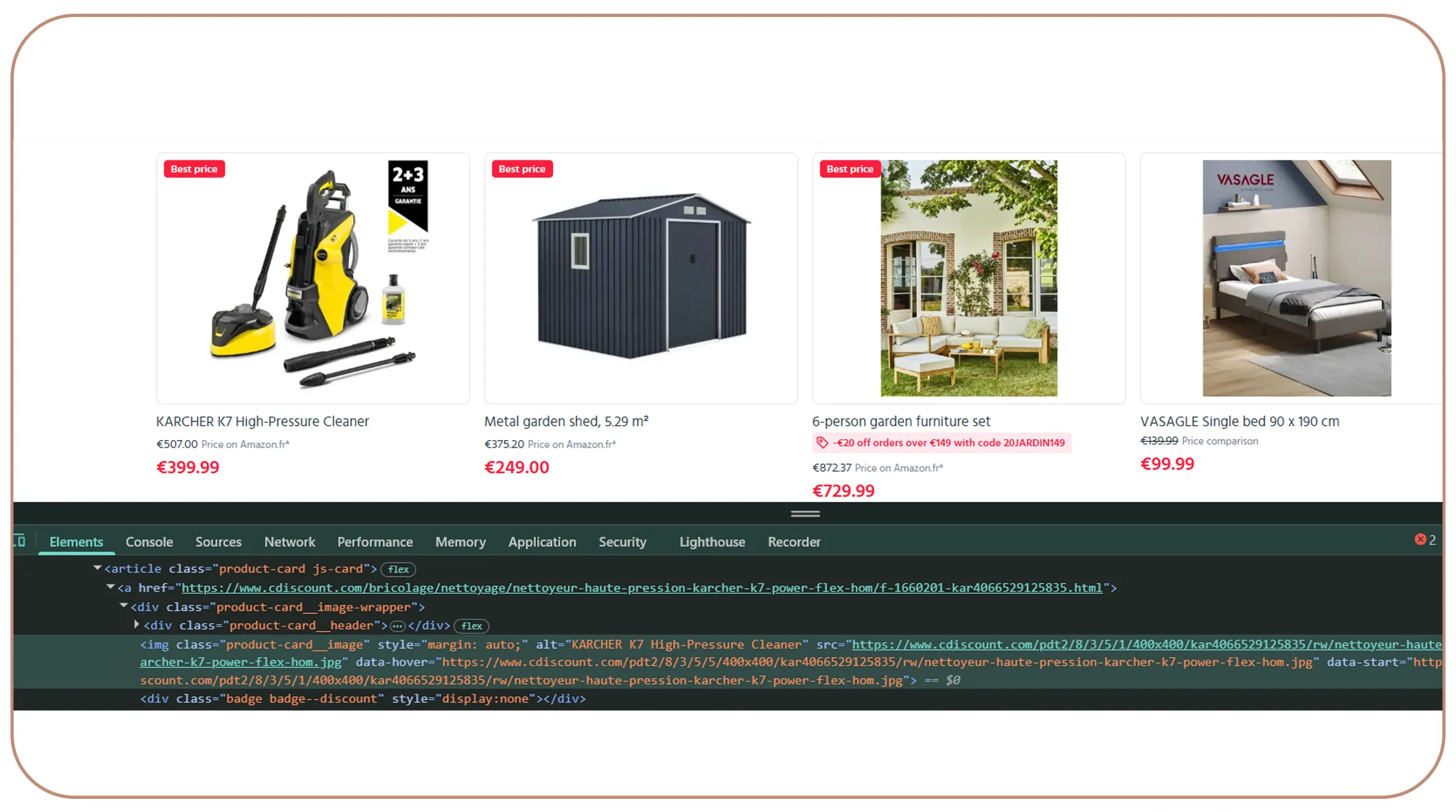
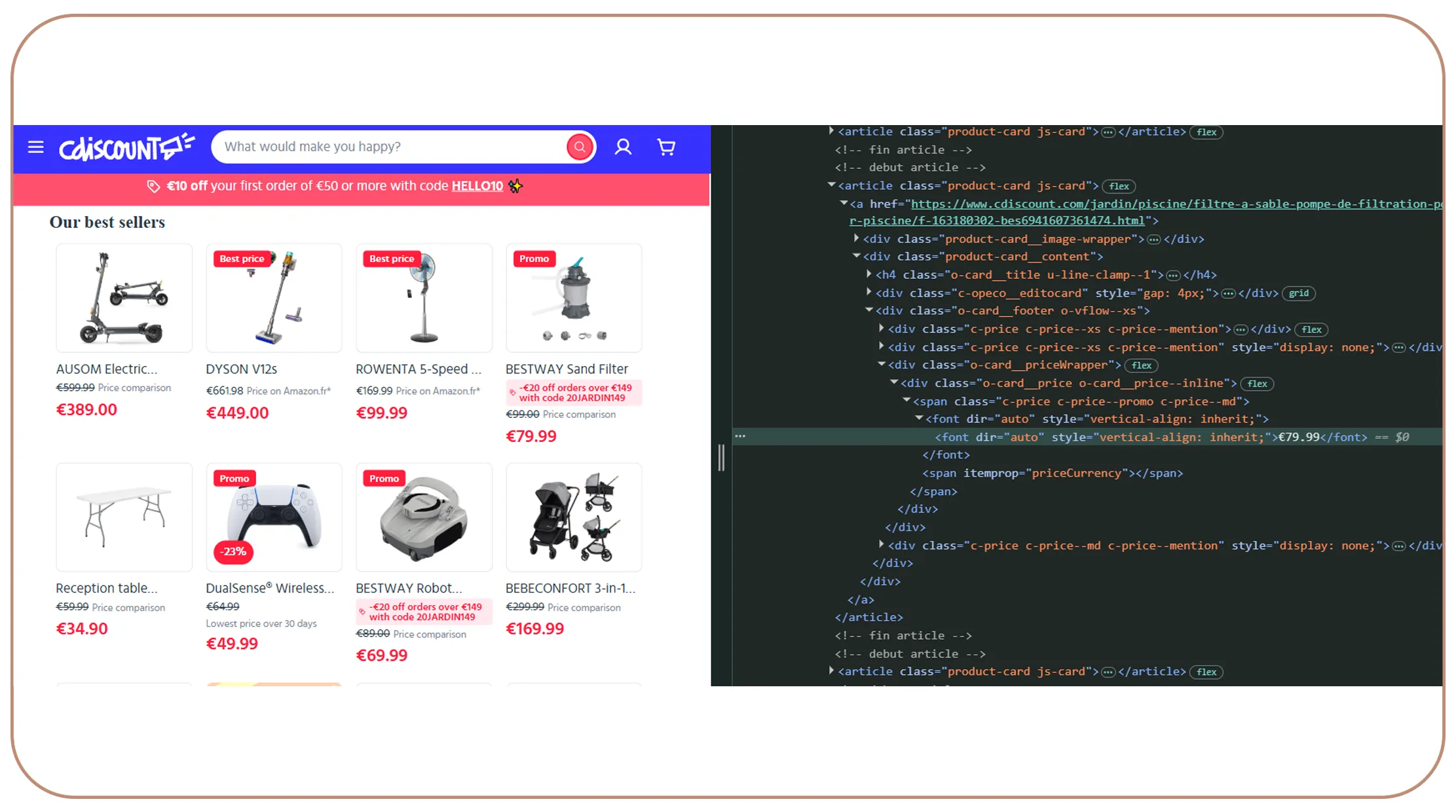
Before writing a single line of code, spend time manually browsing Cdiscount and inspecting its HTML using your browser's developer tools (F12 in Chrome or Firefox).
Key page types to understand:
- Search Results Page (https://www.cdiscount.com/search/10/keyword.html) — Lists product cards with title, thumbnail, price, and seller badge.
- Category Page — Similar structure to search results, paginated using a p= query parameter.
- Product Detail Page — The richest source of data: full specifications, all seller offers, customer reviews, and images.
Most product card prices are rendered server-side in standard HTML, making them accessible to basic HTML parsers. However, seller offers, review counts, and some promotional prices may be loaded via JavaScript (XHR/fetch calls), requiring either Selenium/Playwright or direct API endpoint interception.
Tools and Libraries You'll Need
# Core libraries
pip install requests
pip install beautifulsoup4
pip install lxml
pip install playwright  # For JS-heavy pages
pip install pandas       # For data storage
pip install fake-useragent
For large-scale Web scraping, consider using Scrapy as your framework, which handles concurrency, retries, and middlewares out of the box.
Step-by-Step: Scraping a Cdiscount Search Results Page
Step 1 — Send an HTTP Request with Headers
Cdiscount blocks plain requests without browser-like headers. Always spoof a realistic User-Agent:
import requests
from bs4 import BeautifulSoup

headers = {
    "User-Agent": "Mozilla/5.0 (Windows NT 10.0; Win64; x64) "
                  "AppleWebKit/537.36 (KHTML, like Gecko) "
                  "Chrome/124.0.0.0 Safari/537.36",
    "Accept-Language": "fr-FR,fr;q=0.9",
    "Accept-Encoding": "gzip, deflate, br",
    "Referer": "https://www.cdiscount.com/",
}

url = "https://www.cdiscount.com/search/10/television.html"
response = requests.get(url, headers=headers, timeout=10)
soup = BeautifulSoup(response.text, "lxml")
Step 2 — Parse Product Cards
Each product card on the search results page sits inside a container you can identify using class selectors. Inspect the page to find the current class names (they may change over time due to Cdiscount's frontend deploys):
products = []

for card in soup.select("div.prdtBImgH"):  # Update selector as needed
    title = card.select_one("a.prdtBTit")
    price = card.select_one("span.price")
    link  = card.select_one("a[href]")

    products.append({
        "title": title.get_text(strip=True) if title else None,
        "price": price.get_text(strip=True) if price else None,
        "url":   "https://www.cdiscount.com" + link["href"] if link else None,
    })
Step 3 — Handle Pagination
Cdiscount search results are paginated. Loop through pages by incrementing the page parameter:
import time

all_products = []

for page_num in range(1, 11):  # First 10 pages
    paged_url = f"{url}?p={page_num}"
    response = requests.get(paged_url, headers=headers, timeout=10)
    soup = BeautifulSoup(response.text, "lxml")
    # ... parse cards as above
    all_products.extend(products)
    time.sleep(2)  # Polite delay between requests
Handling JavaScript-Rendered Content with Playwright
For product detail pages where prices or offers are loaded dynamically:
from playwright.sync_api import sync_playwright

with sync_playwright() as p:
    browser = p.chromium.launch(headless=True)
    page = browser.new_page()
    page.goto("https://www.cdiscount.com/product-url", wait_until="networkidle")
    html = page.content()
    browser.close()

soup = BeautifulSoup(html, "lxml")
Storing the Scraped Data
Save your results to CSV using pandas:
import pandas as pd

df = pd.DataFrame(all_products)
df.to_csv("cdiscount_products.csv", index=False, encoding="utf-8-sig")
For larger datasets, consider storing in SQLite, PostgreSQL, or pushing directly to a cloud data warehouse.
Dealing with Anti-Bot Protections
Cdiscount uses a combination of rate limiting, JavaScript challenges, and CAPTCHA systems. Best practices:
- Rotate User-Agents using the fake-useragent library.
- Add delays between requests (2–5 seconds minimum).
- Use rotating residential proxies for large-scale scraping.
- Handle CAPTCHA using third-party solvers like 2Captcha or CapSolver if needed.
- Respect robots.txt — Cdiscount's robots.txt restricts certain paths; always review it before starting.
Ethical and Legal Considerations
Scraping public product data for research, Price Comparison, or academic use is generally considered acceptable in many jurisdictions, but you should always:
- Review Cdiscount's Terms of Service.
- Avoid scraping at a rate that disrupts their servers.
- Not resell scraped data commercially without legal review.
- Consult local data protection laws (GDPR applies in France/EU).
Common Data Fields You Can Extract
| Field | Source Page |
|---|---|
| Product Title | Search Results / Detail |
| Price (current, original) | Search Results / Detail |
| Seller Name & Rating | Detail Page |
| Product Category | Search Results |
| Star Rating & Review Count | Detail Page |
| Product Images (URLs) | Detail Page |
| EAN / Product ID | Detail Page |
| Availability / Stock | Detail Page |
| Shipping Info | Detail Page |
| Product Specifications | Detail Page |
Real-World Use Cases for Cdiscount Data Scraping
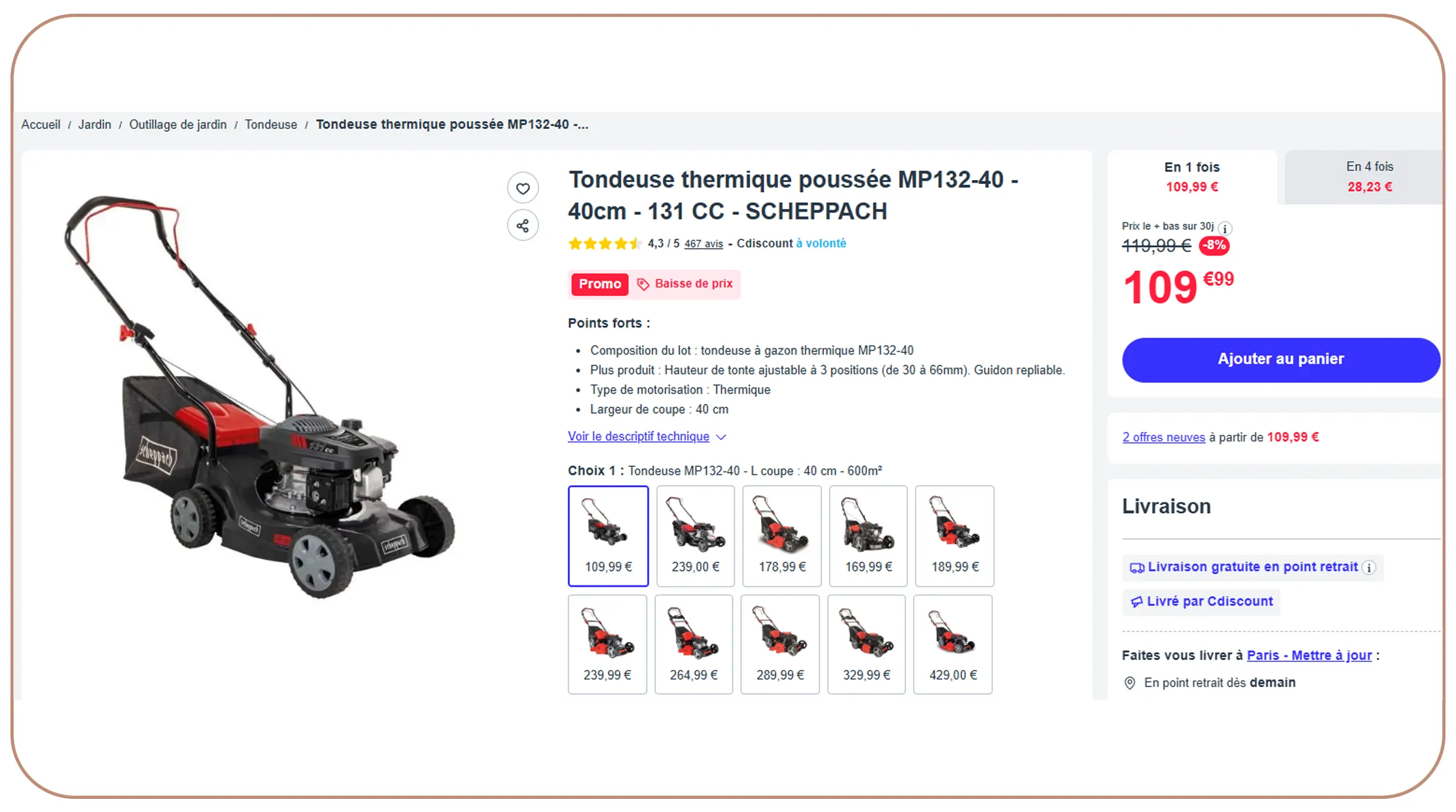
Understanding the "why" behind scraping is just as important as the "how." Here are the most impactful use cases businesses and developers are solving with Cdiscount product data today By using Cdiscount's E-Commerce Dataset.
1. Price Intelligence & Competitive Monitoring
Retailers and brands selling on Cdiscount — or competing against it — use scraped data to track real-time price movements. A sports equipment brand, for instance, might monitor 500 competing SKUs daily, automatically alerting their pricing team whenever a competitor drops below a threshold. Price intelligence tools like this are the single most common commercial application of e-commerce scraping.
2. Price Comparison Websites
Developers building French-language price comparison platforms (think LeGuide.com or Google Shopping competitors) pull product data from Cdiscount alongside Amazon.fr, Fnac, and Darty to give consumers a unified view of the cheapest offer. Cdiscount's marketplace model means one product can have 15+ seller offers — rich data for comparison engines.
3. Market Research & Trend Analysis
Analysts at retail consultancies and FMCG companies scrape Cdiscount category pages weekly to track which products are trending, how assortment breadth is changing, and whether new brands are entering the market. Tracking the number of SKUs in a category over time, for example, is a surprisingly powerful signal for market entry decisions.
4. Dynamic Repricing for Third-Party Sellers
Cdiscount marketplace sellers use scraping to feed automated repricing engines. By continuously monitoring competitor prices on the same product (identified by EAN barcode), sellers can automatically adjust their own prices to win the "buy box" — the default seller position on a product page — without manual intervention.
5. Product Catalogue Enrichment
Distributors and wholesalers with thin product catalogs scrape Cdiscount to enrich their own databases with descriptions, images, specifications, and category tags that Cdiscount's sellers have already curated. This saves weeks of manual data entry when onboarding new product lines.
6. Academic & Data Science Research
Researchers studying consumer pricing behavior, inflation dynamics, or e-commerce market structure use Cdiscount as a longitudinal dataset. Scraping weekly snapshots of prices across product categories enables econometric studies on how French retail prices respond to supply shocks, currency movements, or seasonal demand.
7. Out-of-Stock & Availability Monitoring
Brands use scrapers to track whether their authorized resellers on Cdiscount are maintaining stock, or whether grey-market sellers are undercutting them with unauthorized inventory. Stock availability fields on product pages are scraped and fed into brand protection dashboards.
8. Affiliate Marketing Optimization
Affiliate marketers promoting Cdiscount products through content sites need up-to-date pricing and availability to avoid sending readers to out-of-stock listings. Scrapers automate the refresh of affiliate product feeds, ensuring that blog posts and review pages always show accurate prices.
Conclusion
Scraping product data from Cdiscount.com is entirely achievable with Python using a combination of Requests + BeautifulSoup for static pages and Playwright or Selenium for JavaScript-rendered content. The key challenges are dealing with anti-bot measures and keeping your CSS selectors up to date as Cdiscount periodically updates its frontend. With a well-structured Scrapy project, rotating proxies, and a robust data pipeline, you can build a reliable, production-grade Cdiscount data extraction system with Real Data API that feeds price intelligence dashboards, comparison engines, or retail analytics tools.
Frequently Asked Questions (FAQs)
Is it legal to scrape Cdiscount.com?
+
Scraping publicly available product data — prices, titles, descriptions visible to anonymous visitors — sits in a legal grey zone depending on jurisdiction. In the EU, key considerations include Cdiscount's Terms of Service, French cyber laws, and GDPR if personal data is collected. Publicly visible data scraping for research and comparison purposes has been upheld in some EU jurisdictions, but commercial usage should always be reviewed by a legal professional before scaling operations.
Does Cdiscount have an official API?
+
Cdiscount provides a Marketplace Seller API for registered marketplace sellers to manage listings and orders. However, there is no public API designed for third-party product data extraction, making web scraping the primary option for non-seller data collection.
Why does my scraper keep getting blocked?
+
Cdiscount uses multiple anti-bot protections including IP rate limiting, JavaScript fingerprinting, honeypot links, and CAPTCHA challenges. Common solutions include randomized request delays, rotating User-Agent strings, residential proxies, and CAPTCHA-solving services.
How often does Cdiscount change its HTML structure?
+
Cdiscount updates its frontend regularly, and CSS classes may change during redesigns or A/B testing. To improve scraper stability, use flexible selectors such as data attributes, ARIA labels, and JSON-LD structured data instead of relying on a single class name.
Can I use Scrapy instead of Requests and BeautifulSoup?
+
Yes. Scrapy is highly recommended for production-grade scraping because it supports concurrent requests, retries, caching, item pipelines, proxy rotation, and User-Agent middleware. It provides a scalable framework for large Cdiscount scraping projects.
How do I extract data from dynamically loaded sections?
+
Some product sections load dynamically through JavaScript. You can either render the page using tools like Playwright or Selenium, or intercept underlying XHR and fetch requests from the browser's Network tab and call those endpoints directly.
What is the best way to store scraped Cdiscount data?
+
CSV files work well for small projects, while PostgreSQL is ideal for continuous monitoring and price history tracking. For large-scale pipelines, Parquet files stored on cloud platforms like S3 or GCS are commonly used with analytics tools such as BigQuery or Athena.
How do I identify the same product across multiple scraping runs?
+
Use stable identifiers such as the EAN (European Article Number) or Cdiscount's internal product ID. These identifiers are generally available in product URLs, metadata, or structured JSON-LD data.
Can I scrape Cdiscount product reviews?
+
Yes. Product reviews are usually available in the HTML content of product pages, though pagination or scrolling may be required. Review data often includes ratings, text, reviewer pseudonyms, and dates. GDPR compliance should be considered when storing reviewer-related information.
How long does it take to scrape an entire Cdiscount category?
+
The total scraping time depends on category size, request delays, and concurrency settings. A category with around 5,000 products may take 2–3 hours for listing pages and an additional 4–5 hours for detailed product extraction when using moderate scraping speeds.
Latest posts
Web Scraping Competitor Product Monitoring Using Marketplace Data for Real-Time E-commerce Insights and Business Growth?
How to Scrape Product Intelligence Platform Using Marketplace Data to Help Brands Optimize Pricing, Inventory, and Product Strategy?
Why Companies scrape business data from Google Maps using keywords to Build Accurate Business Lists and Competitive Insights?
How Review scraping and monitoring services Help Businesses Track Customer Sentiment and Protect Brand Reputation in 2026?
How Real Estate Investment Insights Using RERA Data Scraping Help Investors Minimize Risk and Maximize Returns

Real Data API stands out as one of the premier global companies specializing in web data Scraping and web extraction.





.png)


Rating 4.7
Rating 4.7
Rating 4.5
Rating 4.7
Rating 4.7


Disclaimer : RealData API functions solely as an independent data infrastructure and technology solutions provider. We build customized automation workflows designed to collect publicly accessible web data based exclusively on client instructions. RealData API neither owns proprietary datasets nor engages in the sale or redistribution of extracted information. Our operations are limited strictly to lawful public web data processing and never involve unauthorized access to restricted systems or private networks. Any company names, trademarks, logos, or brand references displayed on this website are used purely for demonstrative and illustrative purposes to showcase our technical capabilities and do not imply endorsement, partnership, or affiliation. Use of our platform and services remains subject to our Terms of Service.