Introduction
Grocery is the engine of Indian quick commerce. Atta, rice, oil, biscuits, chips, soft drinks and juices make up a large share of the baskets that Blinkit, Zepto and Swiggy Instamart deliver in minutes. For brands, distributors and analysts, the question is no longer whether these platforms matter. The question is how to measure what is happening on them, category by category and city by city. That is where quick commerce grocery data scraping comes in.
This guide explains how grocery category data extraction works across the three major quick-commerce apps, focusing on three high-volume groups: staples, snacks and beverages. You will see which fields can be collected, how the scraping pipeline is built, what makes the work technically hard and how companies use the output.
Why Grocery Category Data Matters
Quick-commerce platforms behave differently from a traditional online store. Their catalogues are tied to dark stores, so each pincode sees a slightly different assortment. Prices change often, discounts are layered on top of MRP and availability can swing within hours. A brand that relies on monthly reports will miss most of these movements.
Category-level scraping solves this by collecting every product in a defined set of categories, instead of tracking only a handful of SKUs. This gives you:
- A complete view of competitors' assortment in a category
- The real price position of your products against similar packs
- A measure of how often products go out of stock
- Early signals of new launches and discontinued items
The Three Category Groups Explained
Staples include flour, rice, pulses, edible oils, salt, sugar and spices. These are price-sensitive and often sold in several pack sizes, so unit price (per kg or per litre) is essential for fair comparison. Staples also show strong regional brand preferences, which makes city-wise scraping valuable.
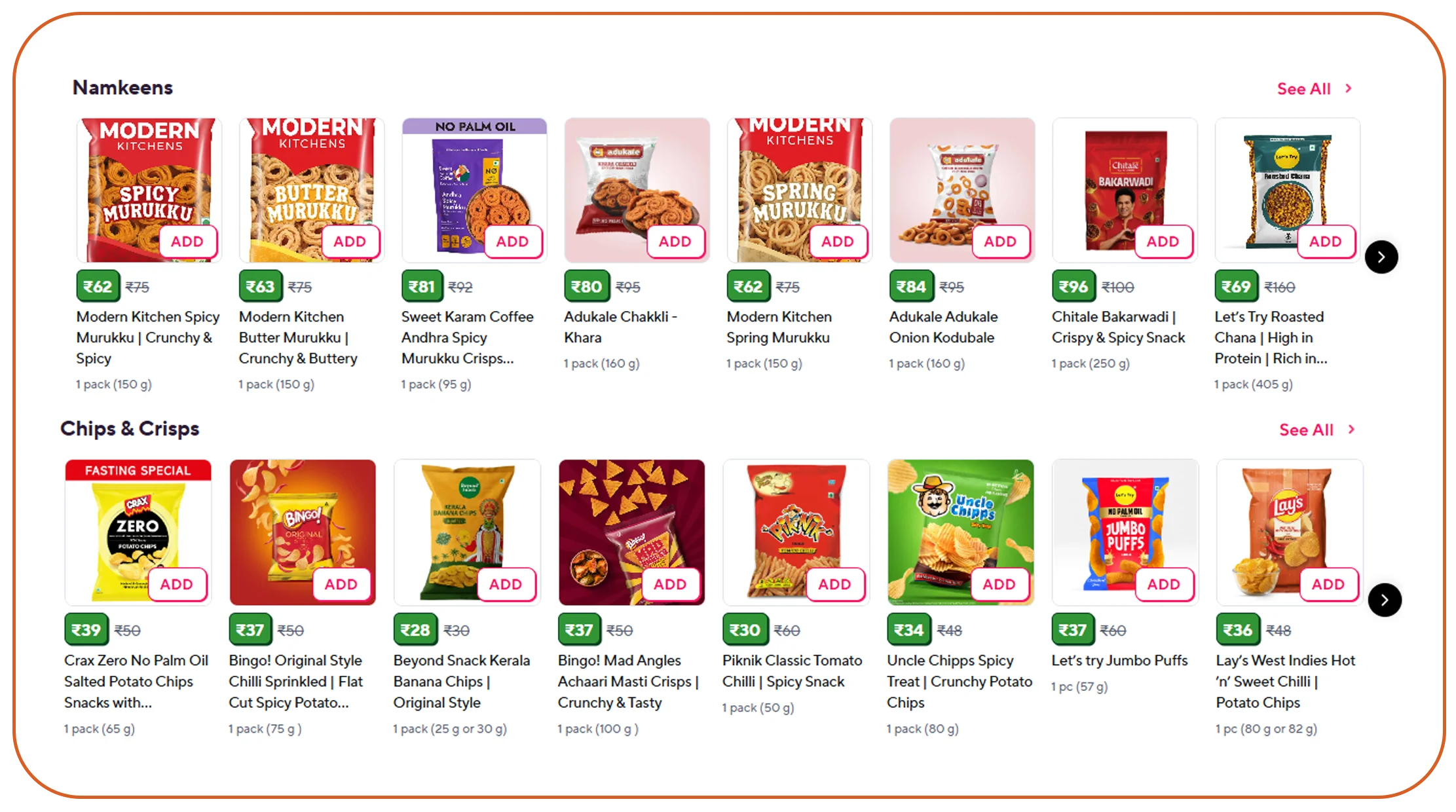
Snacks include chips, namkeen, biscuits, cookies, chocolates and instant foods. This group has high SKU counts, frequent launches and heavy promotions. Brand teams use snack data to watch competitor pack sizes, price points and combo offers.
Beverages include soft drinks, juices, energy drinks, tea, coffee and packaged water. Beverage pricing is influenced by seasonal demand and aggressive discounting, so frequent collection is useful, especially in summer.
Data Fields You Can Extract
A well-designed grocery category scrape captures far more than a title and price. Typical fields include:
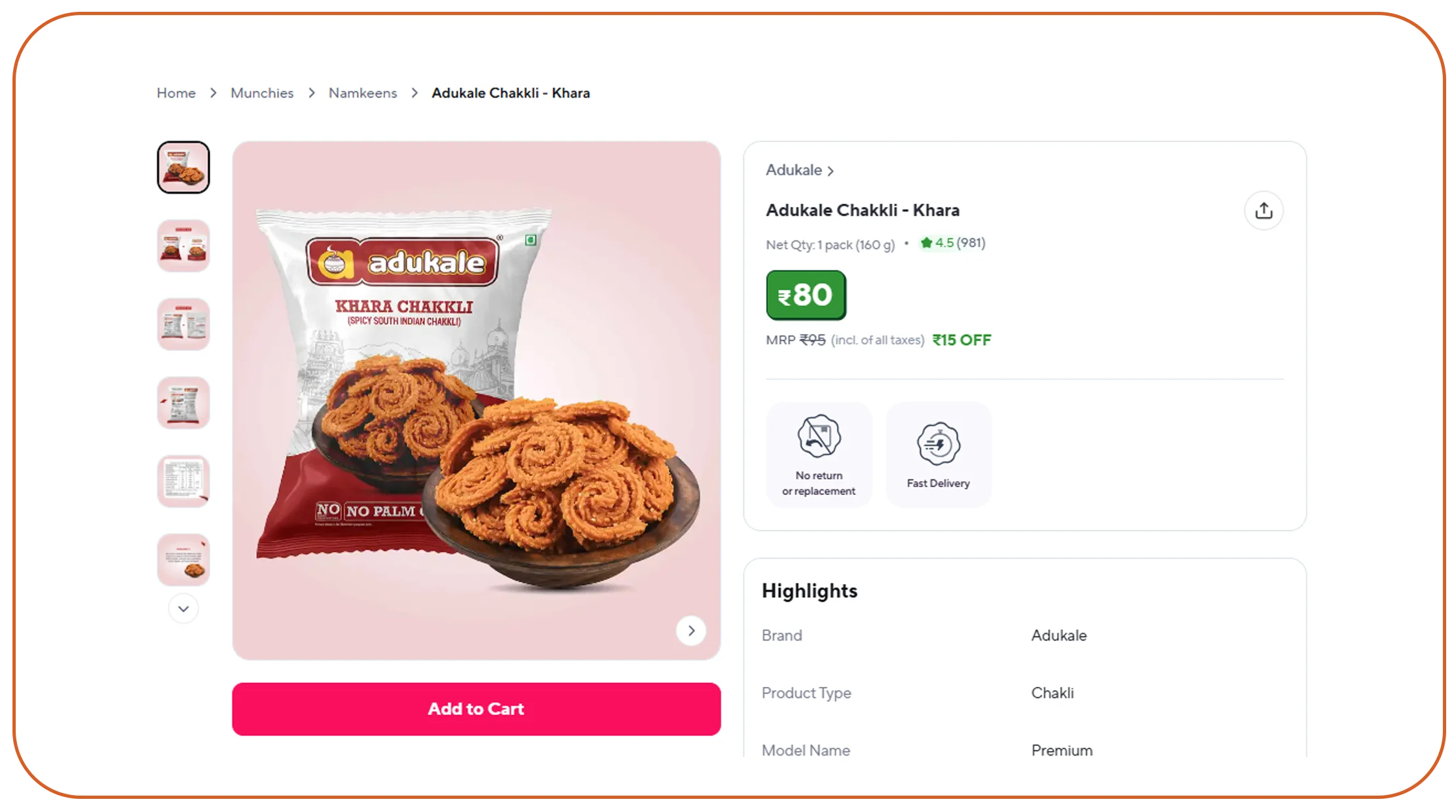
- Product name, brand, variant and pack size
- Category, sub-category and breadcrumb path
- MRP, selling price, discount amount and discount percentage
- Unit price calculated per 100 g, per kg or per litre
- In-stock or out-of-stock status and any stock-limit messages
- Delivery time promise shown for the selected location
- Product rating and review count where displayed
- Product image URLs and product page identifiers
- Position of the product on the category page and in search results
- Sponsored or organic tag
- Collection date, time and the pincode used
How The Scraping Process Works
- Define the scope. List the platforms, categories, cities and pincodes. Decide whether you need the full catalogue of a category or only selected brands.
- Set up location context. Quick-commerce apps show a catalogue based on the delivery address. The Blinkit scraper and similar platform-specific workflows set the pincode or coordinates before loading any category page.
- Map the category tree. The scraper discovers all sub-categories, such as flours, rice and pulses under staples, so that no product group is missed.
- Collect listings page by page. Each category page is loaded and scrolled until all products are visible, because these apps load items dynamically.
- Open product pages when needed. For richer fields such as description, nutrition information or all pack sizes, the scraper visits each product page.
- Clean and standardise. Pack sizes such as 500 g, 0.5 kg and 500 gm are converted to a standard unit. Brand names are normalised.
- Match across platforms. The same product is linked across Blinkit, Zepto and Instamart using brand, pack size and product attributes. Zepto data scraping can be used as part of this cross-platform process to keep pricing, availability and assortment records comparable.
- Validate and deliver. Record counts, null rates and price outliers are checked before the data is delivered through an Instamart data API or files.
Handling Location, Dark Stores And Assortment Differences
Two customers in different parts of the same city can see different products and prices. To capture this, scraping runs are repeated for a list of pincodes that represent your key markets. Good practice is to choose pincodes by sales importance, for example affluent areas, dense residential areas and outer suburbs, then compare results. If one pincode shows a competitor pack as out of stock while another shows it available, you have found a supply-chain insight that a single-location scrape would never reveal.
Technical Challenges And How They Are Solved
- Dynamic content: product lists load as the page scrolls. The scraper uses browser automation or app-level requests to load all items reliably.
- Frequent layout changes: platforms update screens often. Monitoring detects when record counts drop and triggers a fix.
- Rate limits and blocking: requests are paced and distributed, so the process does not overload the platform.
- Inconsistent naming: the same product may appear with different titles. Matching rules and review queues keep the data clean.
- Large volume: a full staples, snacks and beverages scrape across several cities can reach hundreds of thousands of rows per run, so storage and scheduling must be planned.
Business Use Cases
- FMCG brands: track share of shelf, price gaps and stock-outs against competitors by city.
- Distributors and sales teams: find areas where your brand is missing from a platform and prioritise listings.
- Pricing teams: monitor competitor discounts and use grocery price scraping India to identify price gaps and react quickly.
- Investors and analysts: study category growth, assortment depth and pricing power across platforms.
- Aggregator and comparison apps: build price-comparison features for grocery shoppers.
Example: A Beverage Brand During Summer
A juice brand wants to know how its 1-litre pack performs against three competitors from April to June. Data is collected twice a day in five cities. The analysis shows that the brand's pack is out of stock in two cities during weekends, and that a competitor offers a deeper discount whenever temperatures rise. The brand adjusts replenishment and plans its own promotions to match.
Sample Output Structure
A typical row in the delivered file includes: platform, city, pincode, collection timestamp, category, sub-category, brand, product name, pack size, MRP, selling price, discount percentage, unit price, availability, delivery time, rating, review count and product URL. Multiple pincodes produce multiple rows for the same product, which allows location comparison.
Delivery Formats, Refresh Frequency And Quality Checks
Data can be delivered as an Instamart data API with JSON, as CSV or Excel files, or loaded directly into cloud storage or a database. Refresh frequency depends on the use case: staples can be collected daily, while snacks and beverages in promotion periods benefit from two or more runs a day. Quality checks include comparing record counts with the previous run, checking for missing prices and flagging unusually large price changes for review.
Responsible Scraping Practices
Scraping should focus on publicly visible product information, avoid personal or private user data and respect reasonable request rates. Platform terms of use and local laws vary, so teams should review them for their specific use case and seek legal advice when needed.
Why Choose Real Data Api For Quick Commerce Grocery Data Scraping
Real Data API builds custom scrapers for Blinkit, Zepto and Swiggy Instamart, handles location setup and keeps the output structure consistent even when the platforms change. You can begin with one category and one city to evaluate data quality, then expand to more categories and pincodes. Output is delivered in the format your analytics team already uses.
Conclusion
Quick commerce grocery data scraping gives brands and analysts a precise, location-wise view of staples, snacks and beverages on Blinkit, Zepto and Swiggy Instamart. With category-level coverage, clean unit prices and regular refreshes, the data supports pricing, distribution and promotion decisions that used to rely on guesswork.
Need grocery category data from quick-commerce apps? Real Data API can scope a sample for your categories and cities.
FAQs
1. Can I scrape only selected brands instead of the whole category?
Yes. You can provide a brand list, and the scraper filters results to those brands, or you can collect the entire category for competitive context.
2. How do you compare pack sizes fairly?
Unit price is calculated per 100 g, per kg or per litre, so a 500 g pack and a 1 kg pack can be compared directly.
3. How many pincodes can be covered?
There is no fixed limit, but cost and run time grow with the number of pincodes and categories. Most clients start with a representative list of 5 to 20 pincodes.
4. Can I get historical data?
Historical data starts from the day collection begins. Running on a schedule and storing each snapshot builds your own price and availability history.
5. Do you provide an API or only files?
Both are available. An API suits applications and dashboards, while files suit one-time research.
Latest posts
Indian Quick-Commerce Grocery Category Data: Staples, Snacks & Beverages Across Blinkit, Zepto and Instamart
Flipkart & Amazon Multi-Location Price and Availability Tracking for India: Multi-SKU, Pincode-Wise
How to Solve Inaccurate Sports Odds Tracking with OddsPortal sports data API for Real-Time Insights
Blinkit SKU Data Scraping: City-Wise & Dark-Store-Wise Multi-SKU Tracking



.png)


