.gif)
.jpg)
Introduction
Most grocery data projects begin with the same request: give me everything in a category. A price-comparison startup wants all dairy products. A CPG brand wants every snack listed by two retailers. An analyst wants the full cereal aisle with prices and sizes. Building this on your own means crawling thousands of pages, handling pagination and dealing with layout changes. This is where grocery category scraping can replace a large part of the custom crawling work, while a Walmart data scraping API can standardize product collection across retailer pages. A grocery category API hides that complexity and returns a full department with a single request.
This article explains how a Walmart and Costco grocery category API is designed, what the request and response look like, which scraping challenges are involved and how teams use it.
What Is A Grocery Category Api?
A category API accepts a category name or identifier, such as dairy and eggs, snacks or beverages, plus optional filters like location or brand. It then returns the products in that category in a structured format, usually JSON. Behind the scenes, a scraping engine navigates the retailer's category pages, pages through results and collects product details. For teams that need product-level fields rather than only category listings, a grocery product API can expose structured product details in the same workflow.
The benefit is simplicity. Your developers call one endpoint instead of building and maintaining their own crawler.
Why Walmart And Costco Together?
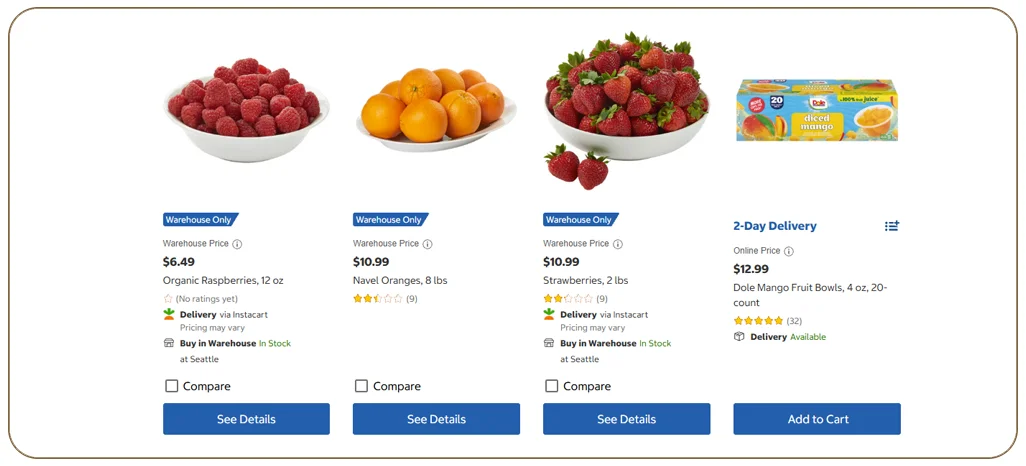
Walmart and Costco serve very different shopping styles. Walmart offers a vast range with many pack sizes and a large third-party marketplace. Costco offers fewer items, typically in bulk packs, with membership-based pricing for some products. Looking at both gives a rounded view of the US grocery market:
- Walmart shows mainstream price points and promotions
- Costco shows bulk pricing and private-label strength through its Kirkland Signature brand
- Comparing unit prices reveals where bulk really saves money and where it does not
Typical Request Parameters
- Retailer: Walmart, Costco or both
- Category: a name or ID from the retailer's category tree
- Location: ZIP code or store ID, when local price and availability matter
- Filters: brand, price range, dietary tags or size
- Pagination: page number and page size, or a cursor for large categories
- Fields: a list of the fields you want back, to keep responses light
What The Response Contains
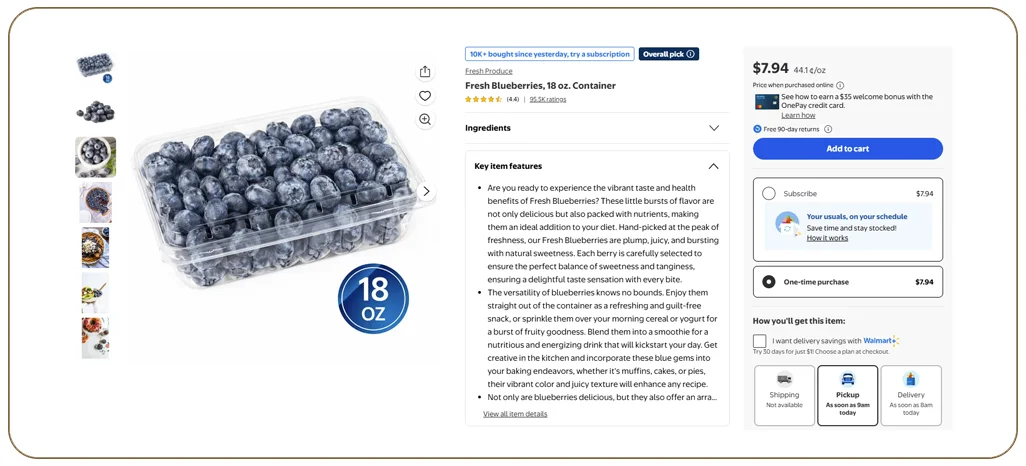
- Product ID, UPC or GTIN where available, title and brand
- Category path and breadcrumbs
- Price, was-price, unit price and promotion text
- Pack size and quantity
- Availability and fulfilment options where visible
- Ratings and review counts
- Image URLs and product URL
- Seller information for marketplace items on Walmart
- Collection timestamp and the location used
How The Crawling Works Behind The Api
- Map the category tree. The system discovers departments, aisles and sub-aisles, and stores them as a tree with identifiers. This category crawler approach keeps department and subcategory discovery consistent before product collection begins.
- Resolve the requested category. A request for dairy is expanded into all of its sub-categories, such as milk, cheese and yogurt.
- Set the location context. Where a ZIP code or store is given, the scraper sets it first so the prices and availability are local.
- Page through results. Categories can contain thousands of products spread across many pages. The crawler continues until all pages are read, and stops safely if a page fails.
- Collect product details. Listing pages contain some fields, but others, such as full ingredients or nutrition, require visiting each product page.
- De-duplicate and normalise. Products appearing in several sub-categories are merged. Sizes and units are standardised.
- Cache and serve. Results are cached for a defined period, so repeated requests are fast and do not overload the retailer's website.
- Return a clean response. The data is formatted according to a stable schema.
Handling Large Categories
Some categories, such as snacks or beverages, can include tens of thousands of items. Returning all of them in one response would be slow and impractical. Good category APIs therefore support asynchronous jobs. You submit a request, receive a job ID and later download the complete result as a file, or you page through results using a cursor. For smaller categories, a direct synchronous response is fine.
Technical Challenges
- Anti-bot defences: both retailers monitor automated traffic. Stable collection needs pacing, rotation and careful session handling.
- Dynamic pages: product grids load through scripts, so simple page downloads are not enough.
- Different structures: Walmart and Costco organise categories differently. Each requires its own parser, mapped to a shared schema.
- Membership-gated information: some Costco pricing or products are shown only with membership or location context. These fields may be partial.
- Third-party sellers on Walmart: the same product may appear from several sellers. The API should clearly mark the seller and the fulfilment type.
- Frequent changes: page layouts change often, so automated tests and monitoring are needed to catch errors early.
Business Use Cases
- Price comparison apps: show shoppers the cheapest option across retailers for each product type.
- CPG brands: monitor competitor assortment and pricing in their category.
- Private-label analysis: compare store brands to national brands on unit price.
- Retail analytics: study category growth, new launches and price trends.
- Meal-planning and nutrition apps: feed products and attributes into recommendations.
Example: Building A Cereal Price Tracker
A startup wants a weekly price tracker for breakfast cereals. It calls the category API for Walmart and Costco with the cereal category and a set of ZIP codes. The API returns products with prices, sizes and unit prices. The startup's system stores each week's data, charts price changes and highlights products where Costco's bulk price per ounce is lower than Walmart's. The startup never has to maintain a crawler. This is a practical example of grocery data scraping for repeatable competitive price monitoring.
Designing A Good Response Schema
A stable, well-documented schema is as important as the scraping itself. Fields should have consistent names across retailers, such as price, was_price, unit_price, unit_of_measure, brand, upc and availability. Missing values should be returned as null, not omitted, so applications do not break. Each record should carry a source and a timestamp.
Delivery And Scheduling Options
Besides on-demand API calls, many clients schedule full category extractions daily or weekly and receive files in cloud storage. A hybrid approach is common: scheduled bulk files for analytics plus an API for real-time lookups.
Responsible Data Collection
Collect only publicly available product information, avoid personal data, keep request rates reasonable and respect terms of use and local laws. Consult legal counsel if your use case is sensitive.
Why Choose Real Data Api For A Walmart And Costco Category Api
Real Data API builds category crawlers for Walmart and Costco and exposes them through a clean API or scheduled deliveries. We maintain the scrapers as sites change and design schemas that work for both retailers. You can start with one category and a few ZIP codes to test data quality and response times. The same approach supports Costco product data extraction when teams need store-aware pricing, availability and product attributes for comparison.
Conclusion
A Walmart and Costco grocery category API turns weeks of crawler development into a single request. With category-tree mapping, pagination handling, clean schemas and active maintenance, teams can pull whole departments of pricing and product data and focus on analysis instead of scraping infrastructure.
Need a grocery category API? Real Data API can set up a pilot for Walmart and Costco categories of your choice. For broader one-time or scheduled coverage, grocery datasets can also be considered.
FAQs
1. Can I request multiple categories in one call?
Yes. You can pass a list of categories, and the API returns results grouped by category, or you can run them as an asynchronous batch job.
2. How fresh is the data?
Freshness depends on caching. For price tracking, data is typically refreshed daily. Real-time requests are possible for a limited number of items.
3. Do you return nutrition and ingredients?
Yes, when you request the detail fields. This requires visiting each product page, so it increases run time.
4. Does the API cover Costco membership prices?
Only information that is publicly visible. Prices that require login or membership may not be available.
5. Can I filter by brand or price?
Yes. Filters are applied during or after collection, depending on what each retailer supports.
Latest posts
Blinkit SKU Data Scraping: City-Wise & Dark-Store-Wise Multi-SKU Tracking
Walmart & Costco Grocery Category API: Pull Entire Departments in One Call
USA Grocery Category API: Product, Price & Availability by ZIP Code
How an Automated e-commerce web data scraper for businesses Prevents Stockout Errors and Competitor Pricing Gaps



.png)


