.gif)
.png)
Introduction
US grocery is a market where a few retailers set the benchmark. Brands, price-comparison apps, nutrition tools and analysts all need structured data from Walmart, Costco and Whole Foods, often down to a specific city or store. Using grocery data scraping, teams can collect structured product, pricing and availability records across these retailers for consistent comparison.
What you can collect
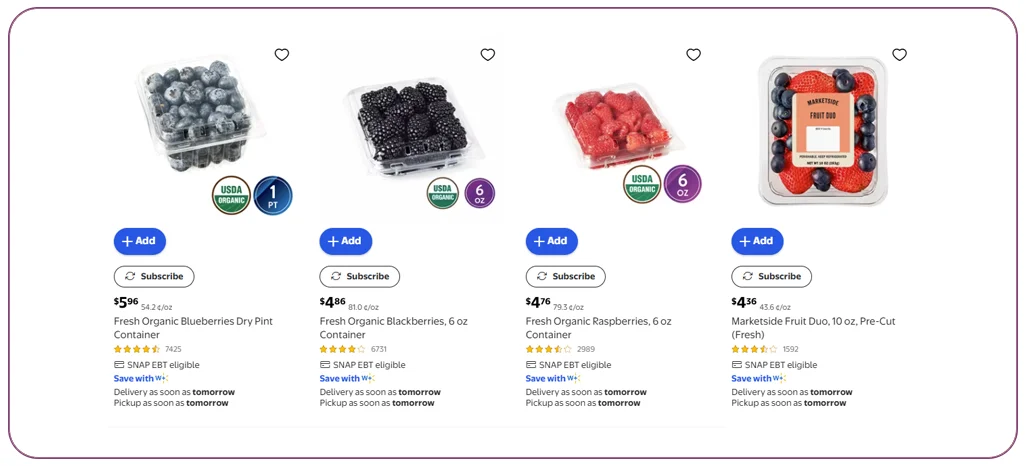
- Pricing: shelf price, unit price, sale price, membership-only price (where shown)
- Product details: title, brand, UPC/SKU, category path, size and images
- Nutrition & ingredients: nutrition facts panel, ingredient list, allergens, dietary tags such as organic or gluten-free
- Availability: in stock, limited stock, pickup and delivery options by store or ZIP code
- Reviews and ratings for sentiment analysis
Location-based extraction
Grocery prices and stock depend on the store. For an area-level project (for example, all stores around a metro area), the scraper sets the store or ZIP code first, then walks through categories. This gives a clean price map across stores.
Category APIs vs one-time datasets
A category API lets you request a department such as dairy or snacks and receive every product with its attributes. A one-time dataset suits research projects. Ongoing monitoring suits pricing teams. For teams that need pre-collected product and pricing records, explore our grocery datasets for one-time or scheduled analysis.
Use cases
- Best-deal comparison tools for shoppers
- Nutrition and diet apps that need ingredient-level data
- CPG brands checking shelf price against retail promotions
- Market research on private-label growth
Things to watch
Structure differs across the three retailers, Costco often limits pricing without membership context, and product naming is inconsistent. Good data work includes matching the same item across retailers using UPC or fuzzy matching.
How Store level Grocery Extraction works
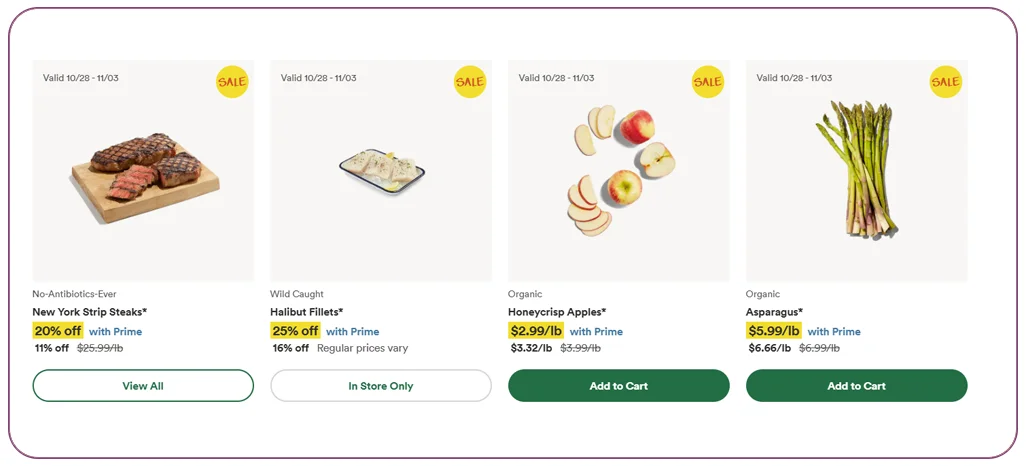
US grocery data is rarely useful at a national level, because stock and price depend on the store. The usual workflow is:
- Choose the retailers, categories and the stores or ZIP codes you want to cover.
- Set the store context so the site returns local price and availability.
- Walk through the category tree and open each product page for full details.
- Match products across retailers using UPC, brand, size and title similarity.
- Deliver the cleaned data as an API feed or scheduled files.
Retailer differences to plan for
- Walmart: a very large catalogue, with items sold by Walmart and by third-party sellers, so seller and fulfilment fields matter.
- Costco: a smaller, bulk-oriented range with large pack sizes, so unit price is needed for fair comparison.
- Whole Foods: a premium, organic-heavy range where dietary tags, ingredient lists and sourcing claims are important.
Each site structures its pages differently, so extraction rules are built per retailer and then mapped to one shared output format.
Building a clean nutrition and ingredients dataset
Nutrition apps and CPG analysts need more than a title and price. A good dataset stores the serving size, calories, macronutrients, allergens and the full ingredient text exactly as published, plus tags such as organic, vegan or gluten-free. Keeping the raw ingredient text next to the parsed fields lets you re-process it later if your parsing rules change.
Example: a grocery deal-comparison tool
A price-comparison startup wants to show shoppers the cheapest option for a basket of 50 items around a metro area. With ZIP-level data from Walmart, Costco and Whole Foods, refreshed daily, the app can calculate unit prices, flag active promotions and show which store is cheapest for each item, instead of showing a single average price.
Why choose Real Data API for USA Grocery Data Scraping
Real Data API builds retailer-specific scrapers, handles store and ZIP-code setup, and returns structured grocery data through an API or files. You can begin with one category and a few ZIP codes to check accuracy, then expand to the full catalogue.
FAQs
1. Can I get nutrition and ingredients for every product?
For most packaged goods, yes. Fresh produce rarely has full panels.
2. Is store-level data possible?
Yes, by ZIP code or store ID.
3. Can I get unit prices for fair comparison?
Yes. Unit price (per ounce, per pound or per count) can be calculated from price and pack size, so items of different sizes can be compared.
4. How do you match the same product across Walmart, Costco and Whole Foods?
Matching uses UPC or GTIN when available, and brand, size and title similarity when not. Uncertain matches can be flagged for review.
5. Can I get historical price data?
Yes, if collection runs on a schedule and each snapshot is stored with its date.
6. Is membership pricing included?
Only where the site shows it publicly. Some prices depend on membership or login, and those fields may be unavailable.
Conclusion
USA grocery data scraping turns Walmart, Costco and Whole Foods pages into a structured source of pricing, nutrition, ingredients and store availability. With store-level extraction, clean matching and a reliable refresh schedule, brands, apps and analysts can make decisions on real shelf data instead of estimates.
Planning a US grocery data project? Real Data API delivers clean JSON or CSV feeds with scheduled refresh. Talk to us.
Latest posts
Zomato & Swiggy Restaurant Data Scraping: Menu, Cuisine, Address & Dine-In Offers
How to Scrape Blinkit, Zepto & Swiggy Instamart Data (City & Dark-Store Wise)
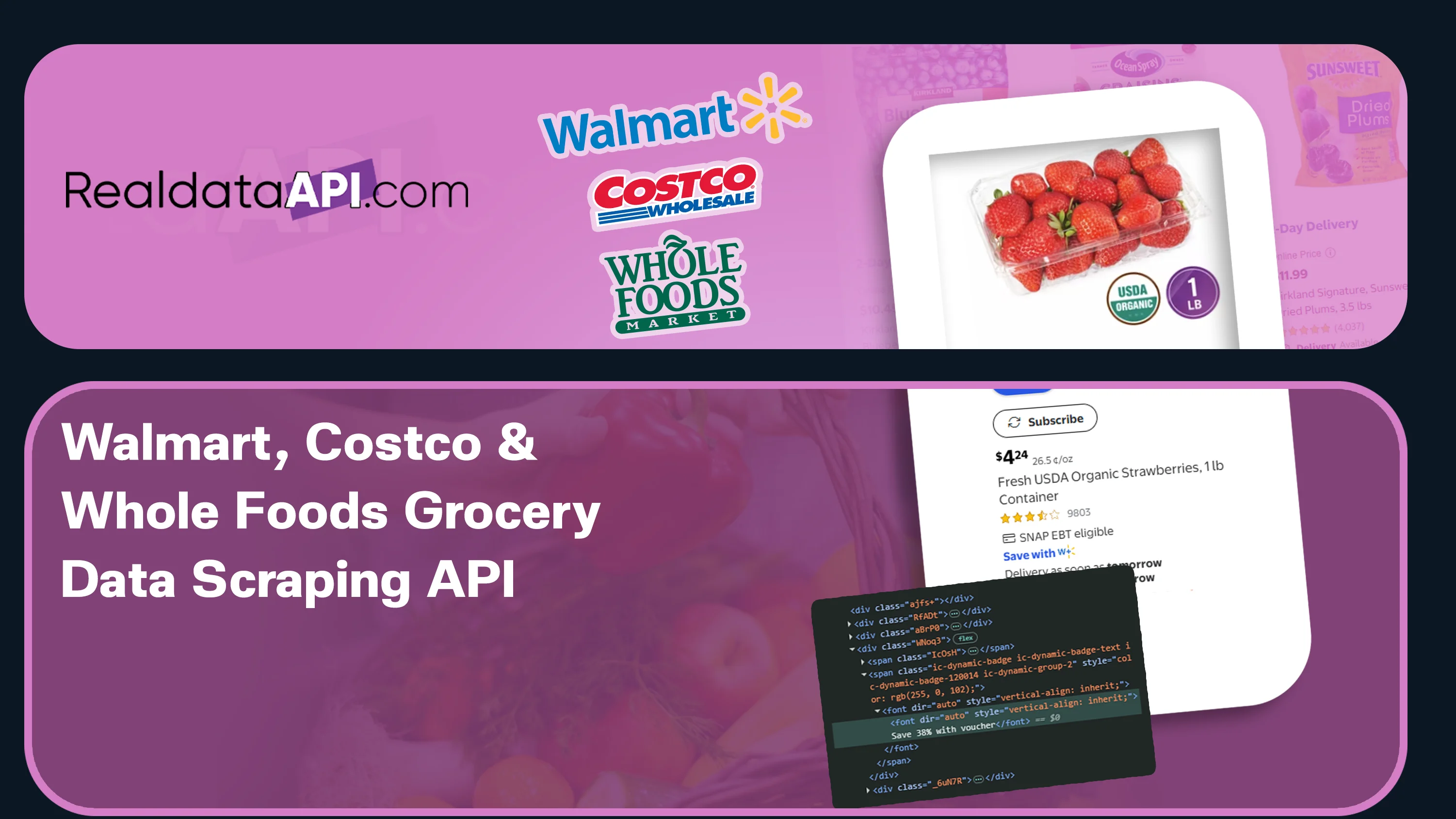
Walmart, Costco & Whole Foods Grocery Data Scraping: Pricing, Nutrition, Ingredients & Store Availability
Google Maps Business Data Scraping: City-Wise Leads & Multi-Country POI Data






.png)



